
The five kinds of agent
For BuildersChecked against the app on September 19, 2026
When you create an agent you choose what kind it is. The kind decides which way the calls go, which steps the builder shows you, and what the agent counts as a job done. It cannot be changed afterwards, and a duplicate is the same kind: if you picked the wrong one, make a new agent of the right kind.
| Kind | Direction | What it does | Good for |
|---|---|---|---|
| Receptionist | Answers | A receptionist for whoever rings: who they are, what they need, and booking them in | Any business line, overflow, after hours |
| Confirmations | Calls | Checks people are still coming, and offers to move it if not | Appointments, bookings, deliveries |
| Detail checks | Calls | Confirms the record you hold is right, and captures corrections | Address and contact checks, KYC-style verification, order details |
| Feedback | Calls | Calls people after a visit or a job and gathers what they thought | Post-visit surveys, NPS, service reviews |
| Follow-ups | Calls | Follows up until the next step is completed | Quotes, missing documents, incomplete applications, payments, no-shows, renewals |
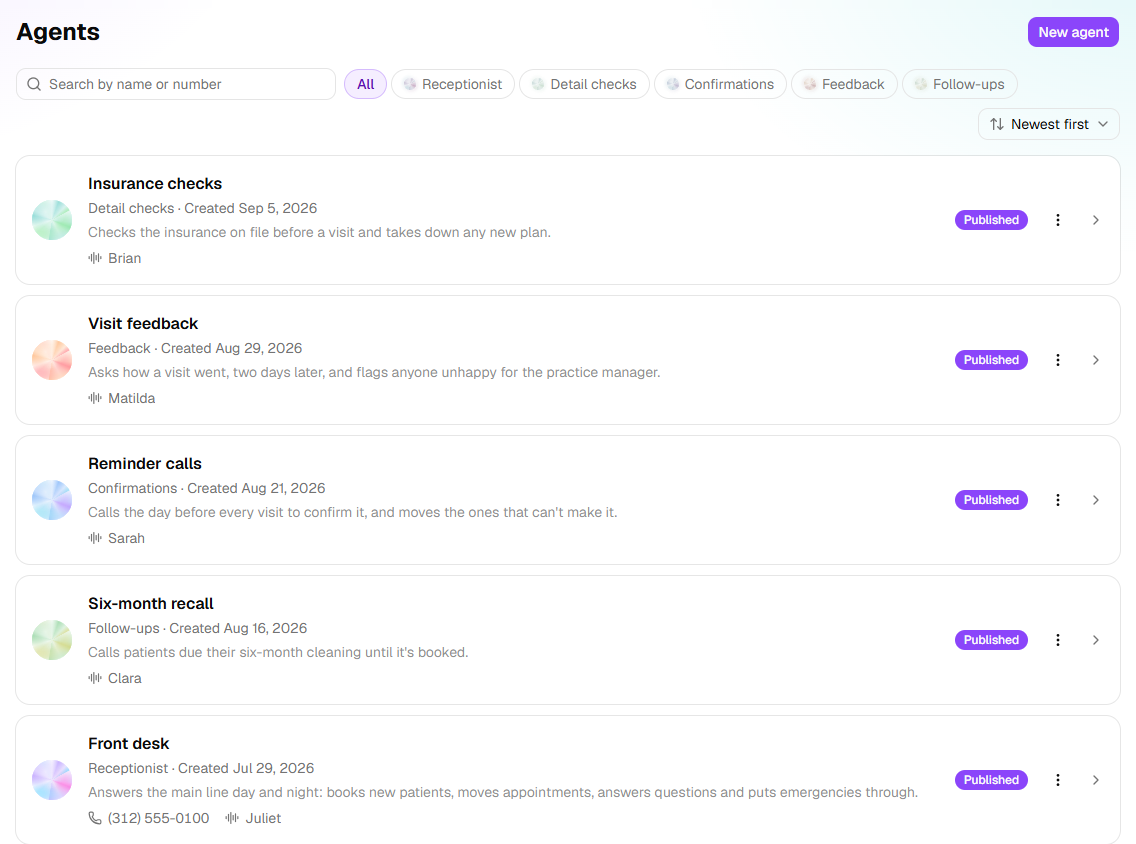
One business can use all five. The Agents page shows each agent's kind under its name, and the filters along the top are the kinds:
Receptionist
The only kind that answers. Give it a number on the Phone Number step and, once published, it picks up every call to that number.
A Receptionist's brief is set across its steps: who you serve and what for (Business Information, Caller Handling), what to ask (Intake Questions), and what it can answer (Knowledge Base). Under Optional are when to create a lead (Lead Capture), what it may book (Appointment Booking), when to hand over (Call Transfers), who to turn away (Caller Screening) and what it may look up (Data Lookups). Outside Hours of Operation it follows your after-hours instructions instead.
Note: A number answers calls for one Receptionist at a time. To have two Receptionists you need two numbers, or one agent with rules for both cases.
The outbound kinds
The four calling kinds share one shape. Each is given a list of people through a campaign, calls them inside the Calling Hours you set, from the number on its Caller ID step, and opens the way you set on Opening. What "the job" means is where they differ:
Confirmations asks whether something will happen. It reads the appointment back, hears yes or no, and if no, offers to move it (through your calendar integration, if connected). The call ends confirmed, needs reschedule, cancelled, unable to confirm, not reached (someone else answered) or wrong party (nobody by that name on this number).
Detail checks asks whether something is right. It reads back each detail you listed on Details, records a match or the correction, and finishes when the list is done.
Feedback asks what did you think. The Questions step holds the questions in order; the answers are captured per recipient.
Follow-ups moves an unfinished thing to a finish. You describe the goal and what counts as done on Goal; the agent calls, records how far it got, and calls again on the retry schedule until the goal is met, a person needs to step in, or the person says stop. It is the only kind that remembers what happened last time and continues from there.
Tip: If you are unsure between Confirmations and Follow-ups: Confirmations is one call about one fixed event. Follow-ups is as many calls as it takes about an open task.
What every kind shares
- Voice & Purpose — the agent's name, the voice it speaks with, and what a good call achieves.
- Knowledge Base — the answers it may give, and the documents it can read from.
- Conversation Style — how the agent speaks and behaves.
- Appointment Booking — booking through a connected calendar, or a booking link read out on the call.
- Call Transfers — hand-offs to a person, and sensitive-topic protocols.
- Data Lookups — finding the caller's record while they are on the line.
- Review & Go Live — a summary of everything, and the button that makes it live.
- Try it — talking to the agent from your browser, at any point.
Names
The kind is the job; the name is the person. A new agent is offered a first name (Riley, Casey, Morgan, Jordan) because callers respond better to "Hi, this is Riley from Northside Dental" than to "the confirmation system". Rename it on Voice & Purpose.
Related
- Phone numbers and caller ID — why a Receptionist holds a number and an outbound agent only calls from one
- Campaigns and recipients — how an outbound agent gets its list
- How the builder works — the builder, step by step