
A tour of HiloVoice
For OwnersChecked against the app on October 1, 2026
This is HiloVoice two months in: what each page shows once your agents have been taking and making calls for a while, and what it saves you.
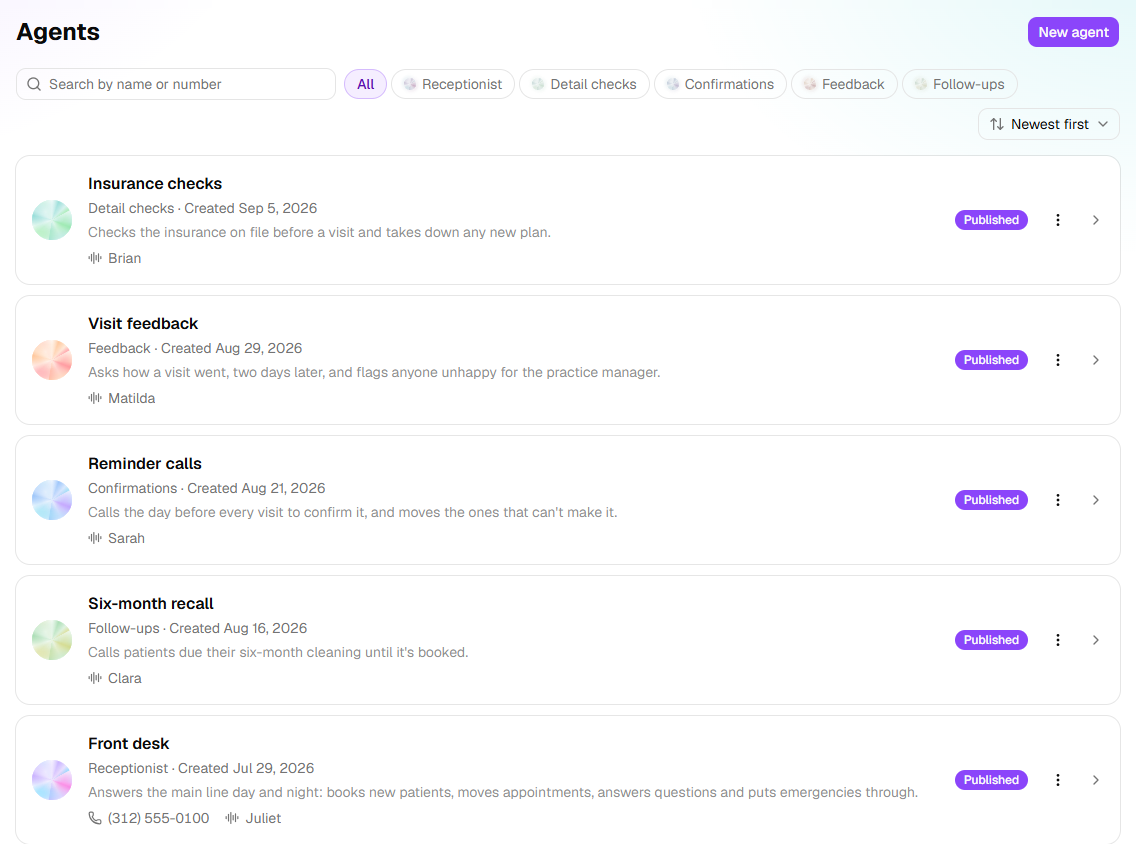
The pictures come from Maple Street Dental, a family dental practice. Juliet, its Receptionist, answers the main line day and night: she books new patients, moves appointments, answers questions and puts emergencies through to the dentist on call. Four more agents call patients for the practice. Sarah calls the day before every visit to confirm it. Clara calls patients who are due a six-month cleaning until it's booked. Matilda calls two days after a visit to ask how it went. Brian checks a new patient's insurance before their first visit. Nobody at the practice made any of those calls.
Usage: the month at a glance
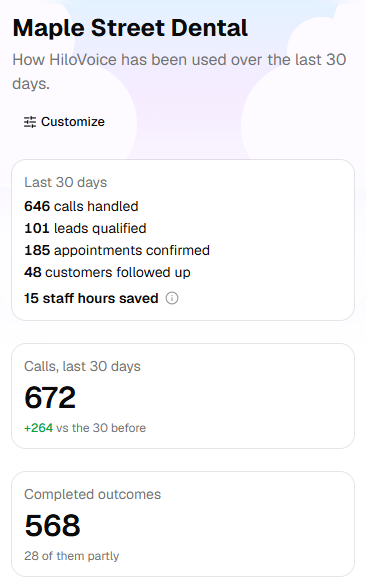
Usage is the page HiloVoice opens on. The card on the left is your month in one place: the calls your agents handled, the leads they qualified, the appointments booked that are still on the calendar, the people a follow-up reached, and the staff hours saved, which is the time on every call someone spoke to an agent. The tiles beside it compare the last 30 days with the 30 before.
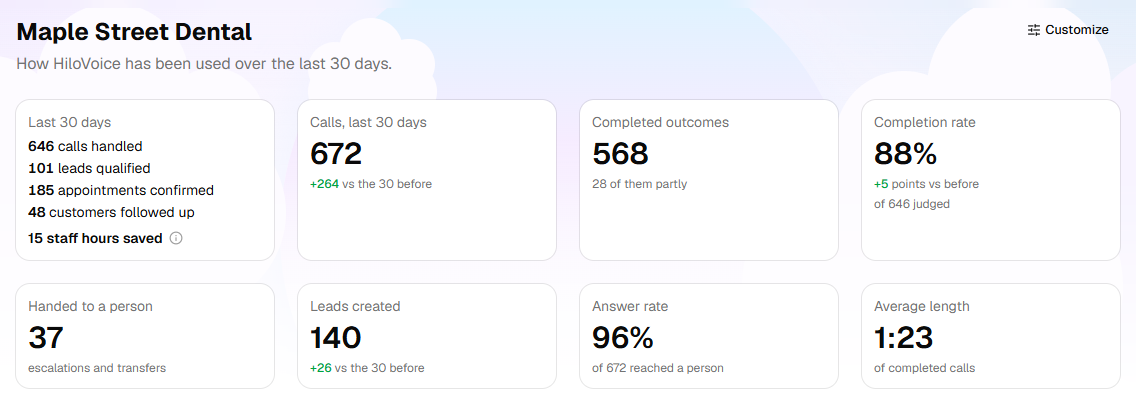
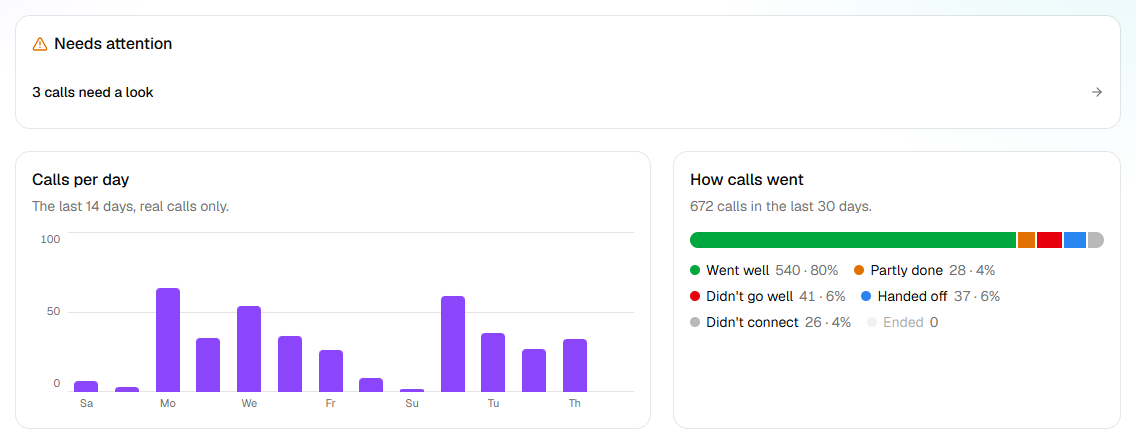
Further down, Needs attention counts the calls a person should look at: a caller who asked something nothing on file answers, a patient who was unhappy with a visit. Calls per day and How calls went show the shape of the last two weeks and the month. To choose the tiles you see, and their order, click Customize.
Calls: every conversation, word for word
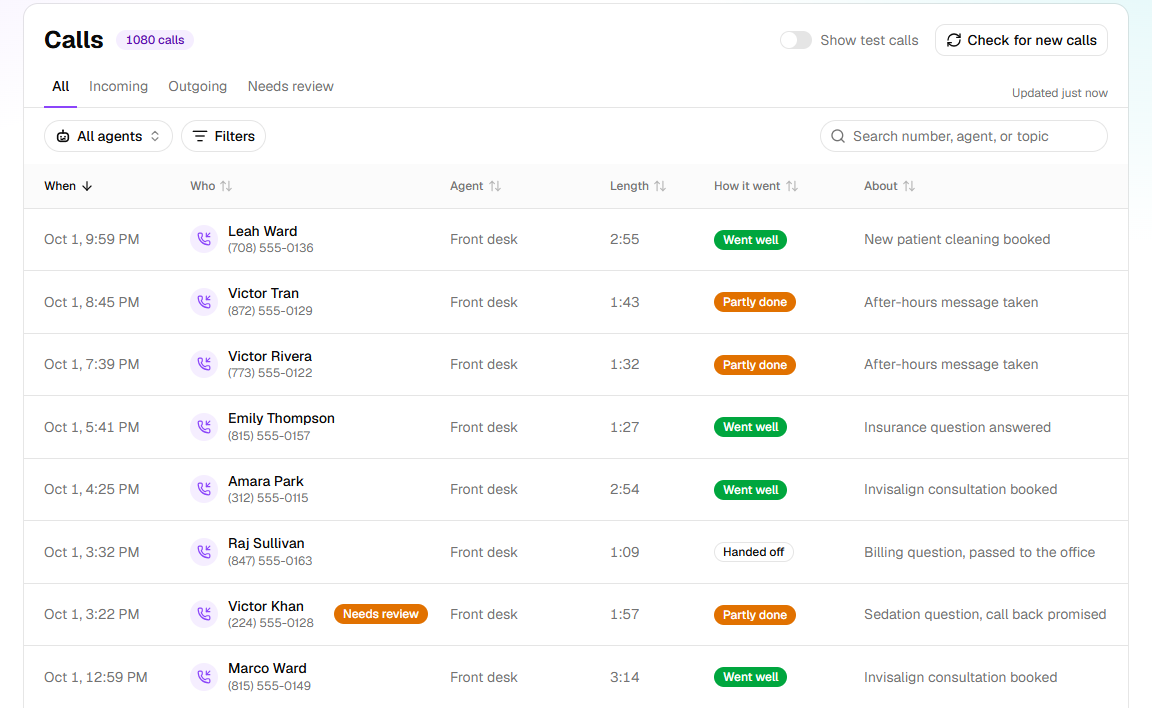
Calls lists every call, incoming and outgoing, newest first. How it went tells you at a glance whether a call did its job, and About says what it was. A call waiting for a person says Needs review; the Needs review tab lists just those.
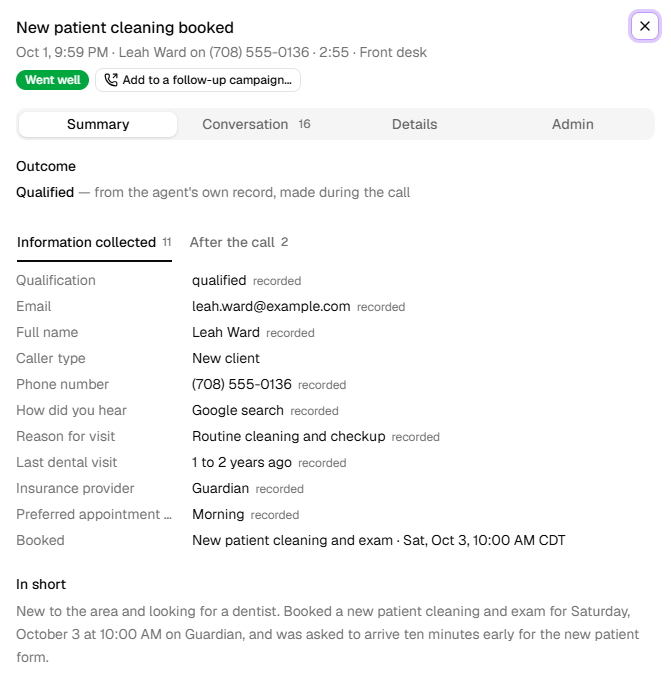
Click a call to open it. This one is a new patient booking their first cleaning: the outcome, everything Juliet took down, the appointment she booked, and the call in two lines. Conversation has the whole call, line by line. After the call shows what HiloVoice did once it ended: here, adding the caller to Leads and texting them the practice's welcome message.
Leads: who to call back first
Every new patient Juliet speaks to becomes a lead, scored from 0 to 100 on what the call showed. The strongest are at the top, marked Hot, with the signals that put them there. Customer marks the ones your team has since marked as a current patient.
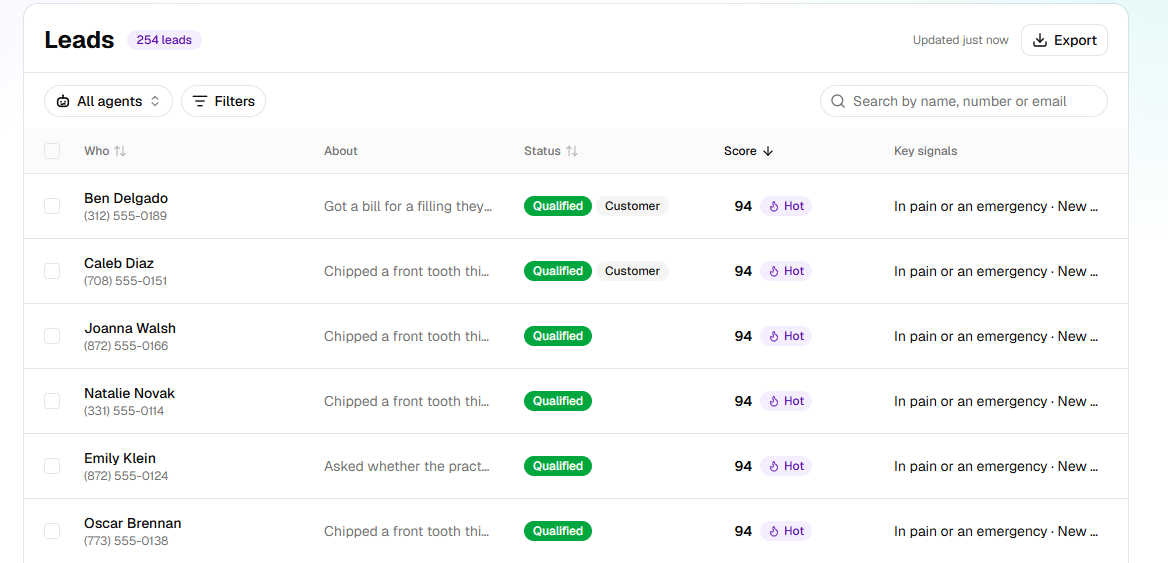
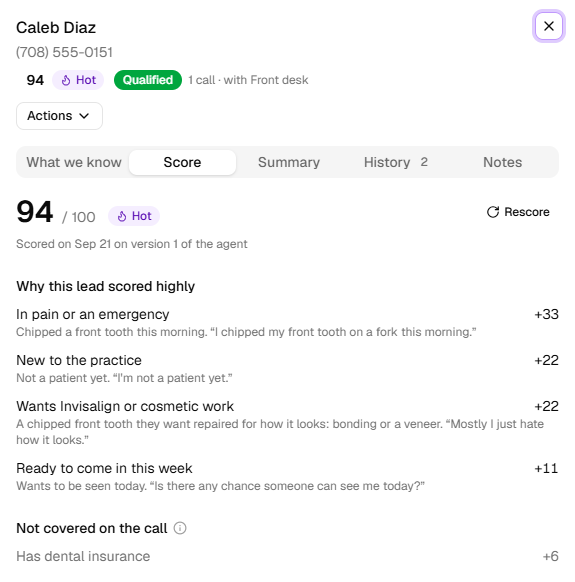
Open a lead and click Score to see why it scored as it did, in the caller's own words, and what the call never covered.
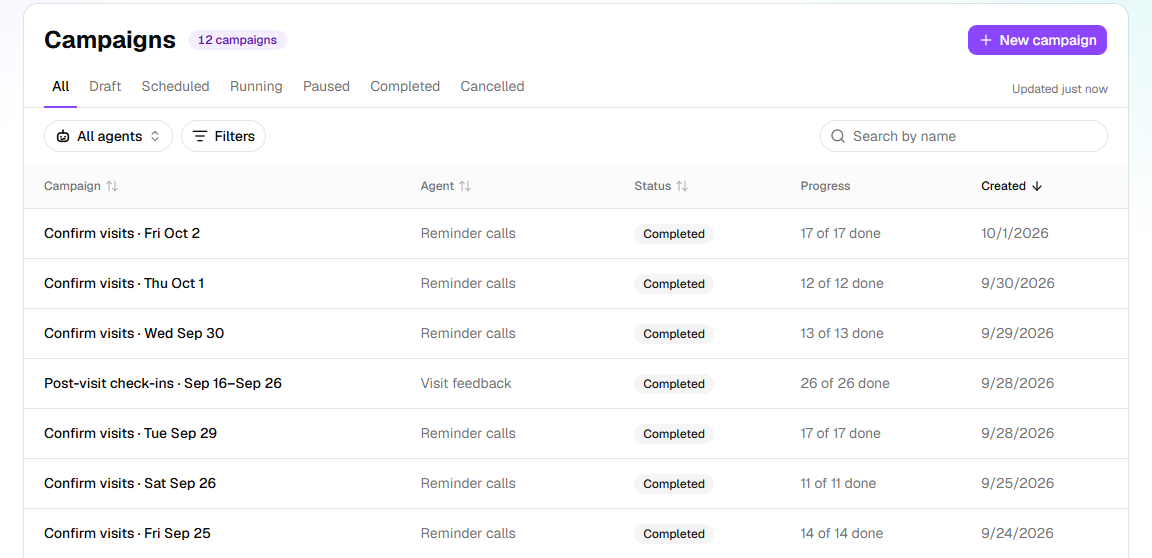
Campaigns: the calls nobody has time to make
A campaign is a list of people and the agent that calls them. Maple Street Dental runs a round of reminder calls every weekday for the next day's visits, a six-month recall every few weeks, check-ins after visits, and insurance checks before new patients come in.
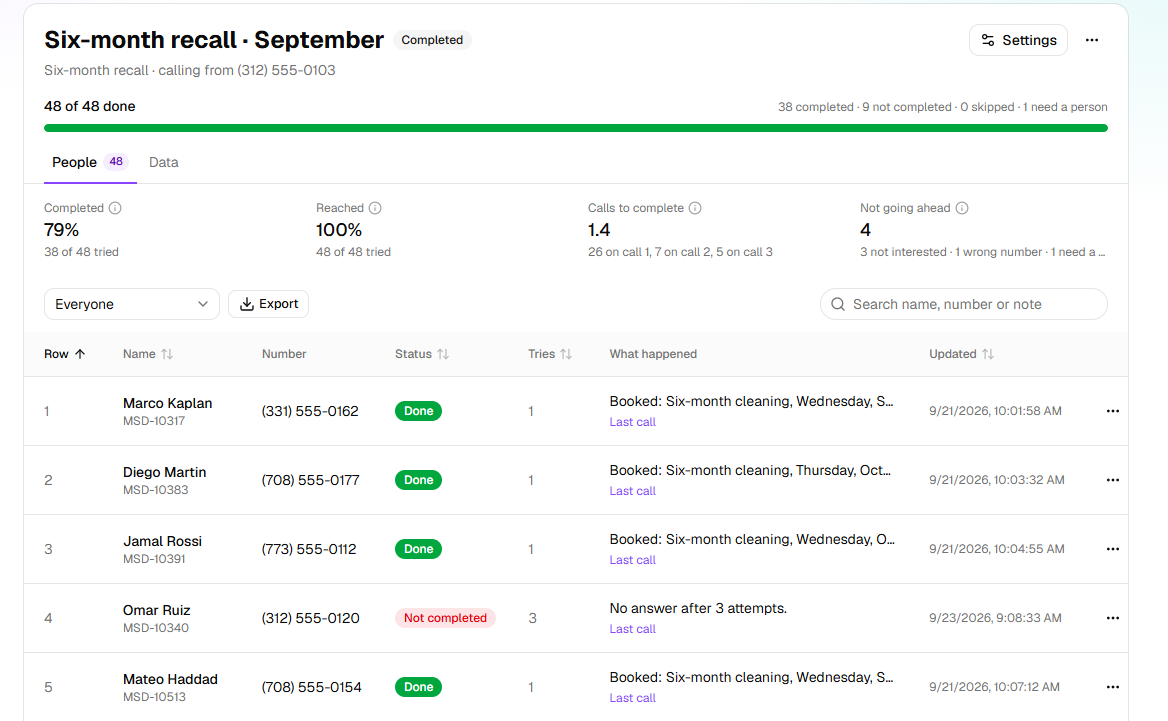
Open a campaign to see how far it got and what happened with each person. For a Follow-ups campaign like the recall, it also shows how many people were reached, how many calls a finished job took, and why the rest aren't going ahead. Anyone who needs one of your team waits under Needs a person until someone deals with them.
Agents: how each one is set up
Agents lists your agents with their kind, their voice and, for a Receptionist, the number it answers.
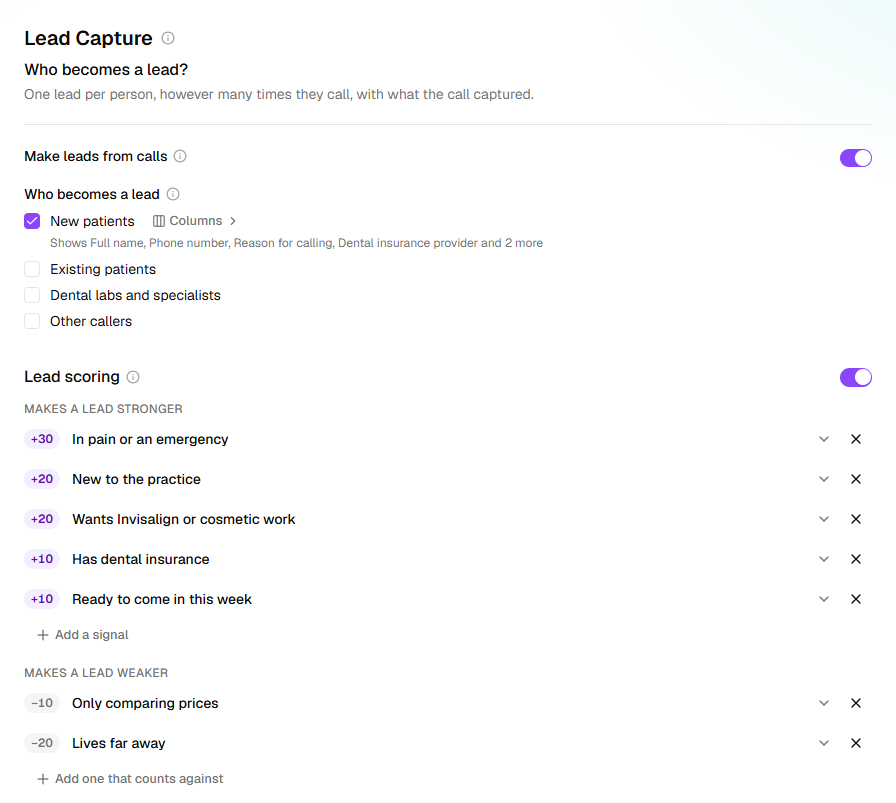
Click an agent to open its builder, where everything it does is set a step at a time. On Juliet's Lead Capture step, new patients become leads. A caller scores higher when they're in pain, new to the practice, after Invisalign or cosmetic work, insured, or ready to come in this week. They score lower when they're only comparing prices or live far away.
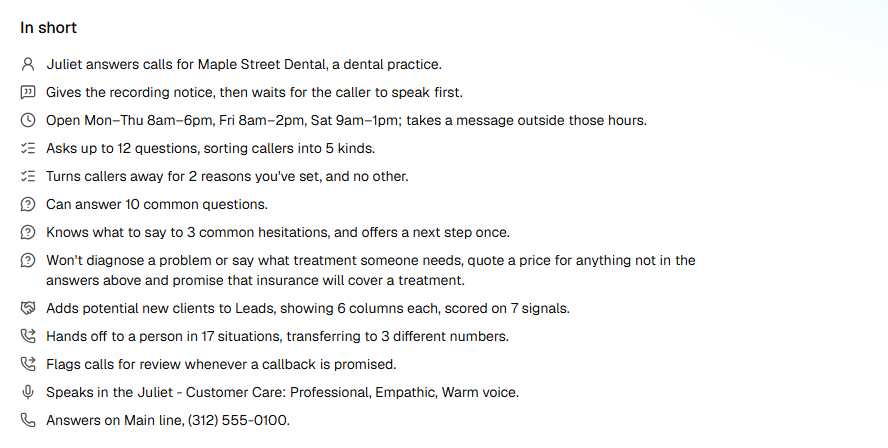
The last step, Review & Go Live, sums up the whole setup in plain words under In short: when Juliet is open, what she asks, who she turns away and why, what she can answer, what she says when a caller hesitates, what she never does, who becomes a lead, when she hands over and to which numbers, and the voice and number she answers on.
Contacts, Phone numbers and Settings
- Contacts is your address book: everyone you've imported for a campaign, and anyone you add by hand.
- Phone numbers lists your numbers, the agent that answers each one, and the agents that call from it.
- Settings holds your Organization details, your Team and what each person may do, Billing, Integrations, the Lookups an agent can check mid-call, Activity (who did what, and when), and the lists that decide who gets through: Transfer destinations, Transfer list and Blocked numbers.
Notifications: what HiloVoice tells you
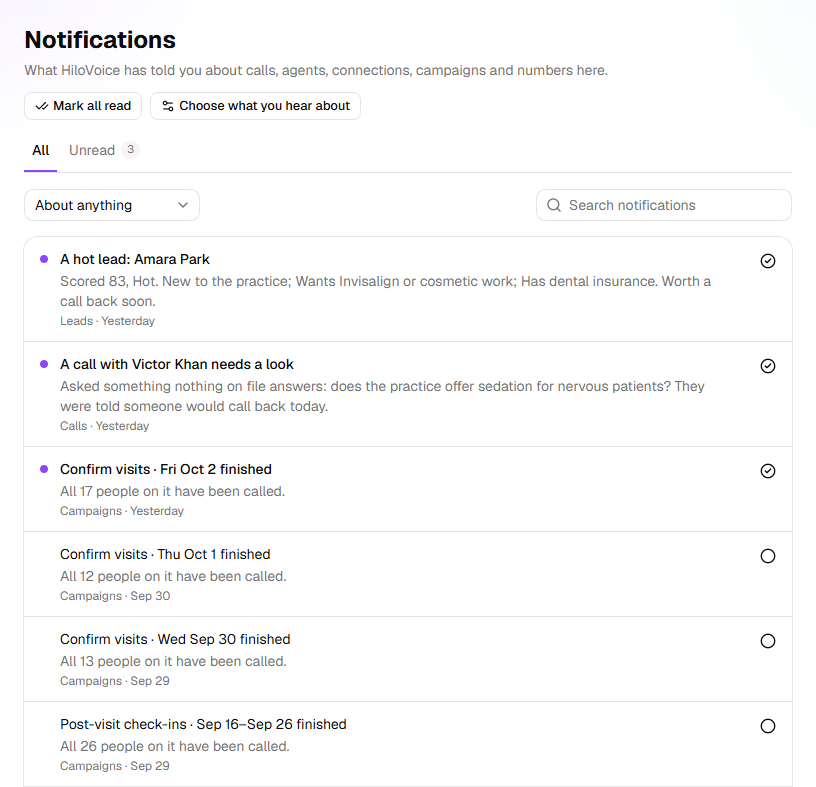
The bell at the top of every page counts what's new: a hot lead, a campaign that has finished, a call that needs a look. Notifications keeps them all. Choose what you hear about sets which you get on the bell, by email, both or neither.
On your phone
Every page works on a phone, so you can see how the day is going wherever you are.
Related
- Set up your first agent — a Receptionist that answers your number, in about fifteen minutes
- What HiloVoice does — how the pieces fit
- The five kinds of agent — the Receptionist, and the four kinds that call for you
- Calls, leads and contacts — the three pages that hold the people your agents talk to
- Campaigns and recipients — how an outbound agent works through a list