
Calls, leads and contacts
For OperatorsChecked against the app on October 1, 2026
Three pages hold the people your agents talk to. They overlap, and the overlap confuses new teams, so here is the distinction in one line each:
- A call is a conversation that happened.
- A lead is a person a Receptionist decided you should follow up.
- A contact is a person in your address book, whether or not they have been called yet.
Calls
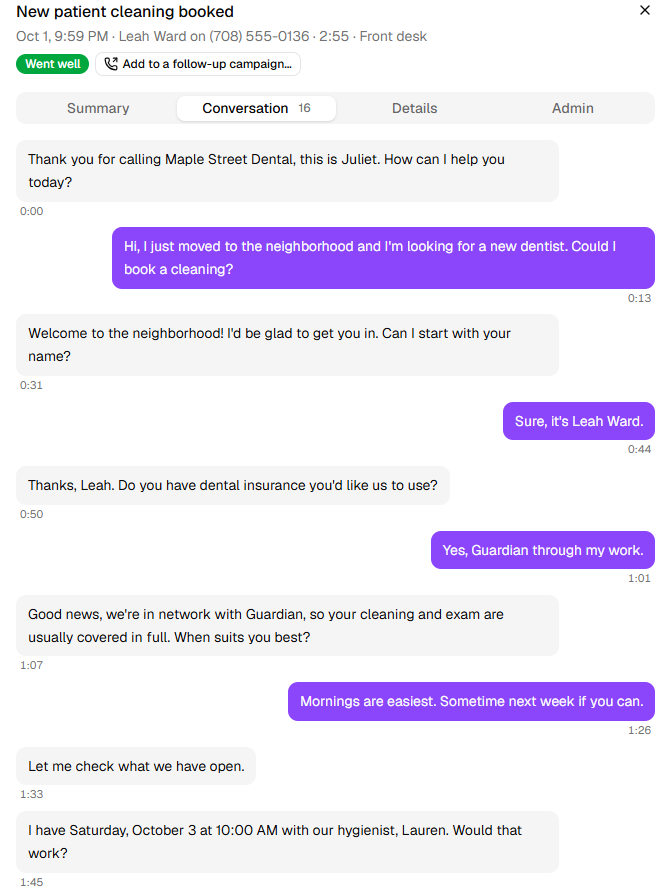
Every call an agent takes or makes lands on the Calls page: when, who, which agent, how long, how it went, and what it was about. Open a call to read the transcript, listen to the recording, and see everything the agent captured — each value with a note on why the agent recorded it that way. Conversation has the call line by line, with when each was said:
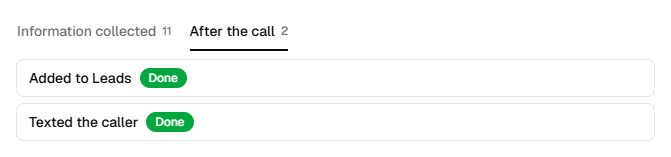
After the call lists what HiloVoice did once the call ended, and whether it worked: here, the new patient added to Leads and sent a text.
Calls are the audit trail. Nothing on the other pages exists without a call behind it, and when a lead or a campaign recipient looks wrong, the call is where you find out what was actually said.
Test calls from Try it are kept here too, out of the way: tick Show test calls to see them.
Leads
A lead appears when a Receptionist's call ends and the caller is a kind you ticked under Who becomes a lead, on the agent's Lead Capture step. A new Receptionist makes a lead of every new client out of the box. A caller turned away by a rule on Caller Screening still becomes a lead, marked Disqualified.
A lead is Open until someone on your team, or a later call, decides otherwise:
| Status | Meaning |
|---|---|
| Open | Nobody has decided yet. |
| Qualified | Worth pursuing. |
| Disqualified | Not a fit. |
| Closed | Done with, one way or the other. A closed lead stays closed even if the person calls again. |
Open a lead to see the calls behind it, what was captured, and to set its status. History has every call and everything your team did, newest first: a returning caller adds a line each time they ring. Under Actions, Mark as a current customer marks a lead who has become one, and the list shows them as Customer. Leads can be archived; an archived lead keeps its calls and can be restored.
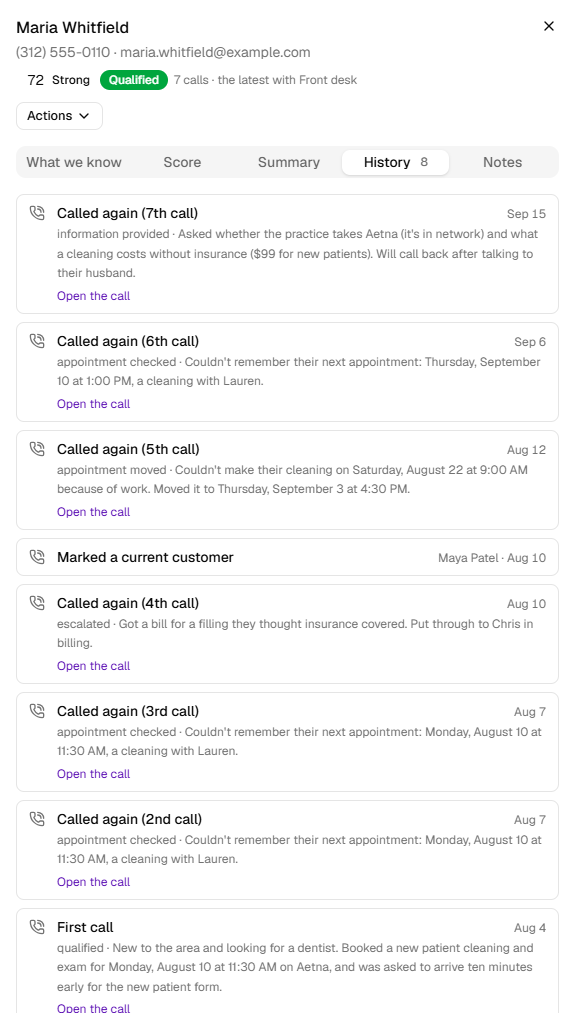
When Lead scoring is on for the agent, each lead also has a score from 0 to 100, worked out from what the call showed, and a Score tab that says why.
One person, one lead. Combine leads across agents is on for every organization to begin with, so a caller who rings several of your Receptionists is one lead however they reach you. Switch it off under Settings → Organization to have each agent keep its own leads.
Leads can be sent onwards the moment they are created — to HubSpot, to a Slack channel, through Zapier, or to your own system through the Lead endpoint integration.
Contacts
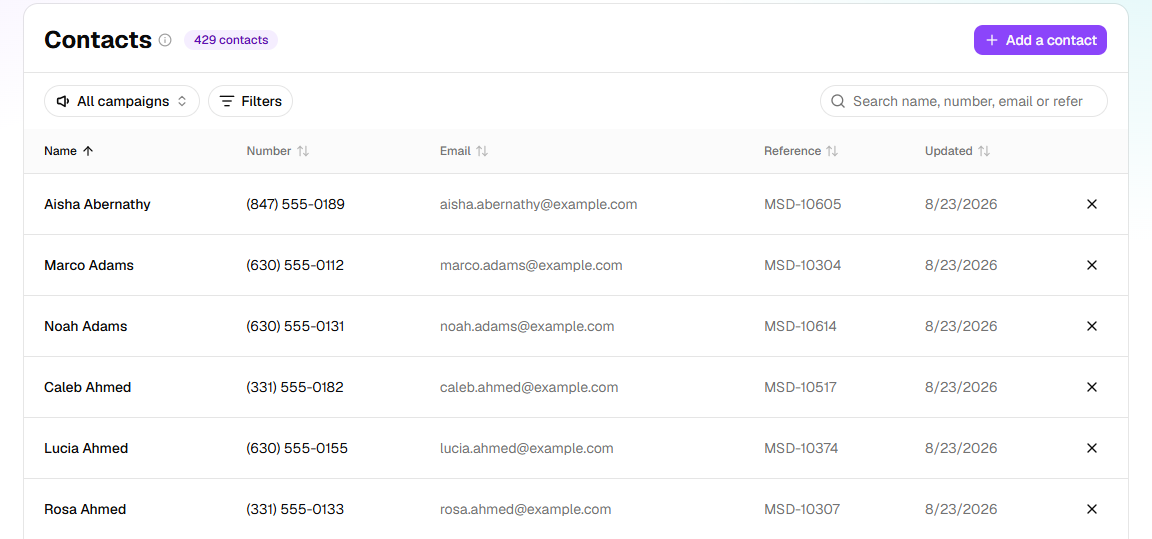
The Contacts page is your address book. Everyone you import to a campaign appears here, and you can add a person by hand. A contact is where a phone number, an email, a reference and a name live together, and it is what a Lookup on your contacts finds when someone rings: the Receptionist can greet a known customer by name because they are a contact.
Contacts are the raw material for campaigns; leads are the output of calls. A person can be both.
Three lists that decide who gets through
Under Settings are three short lists that act before the agent says a word:
| List | Effect |
|---|---|
| Transfer destinations | The real lines an agent may put a caller through to. Nothing here means the agent cannot transfer. |
| Transfer list | People who go straight to a person, no questions asked — a partner, the accountant, a key client. |
| Blocked numbers | Numbers HiloVoice will not call, text, or answer. A person who says do not call is added automatically. |
Related
- The five kinds of agent — which kinds create leads
- Campaigns and recipients — what a recipient is, and how it differs from a contact
- Review your calls — finding a call, its transcript and recording
- Follow up your leads — working your leads
- Keep your contacts up to date — your address book